

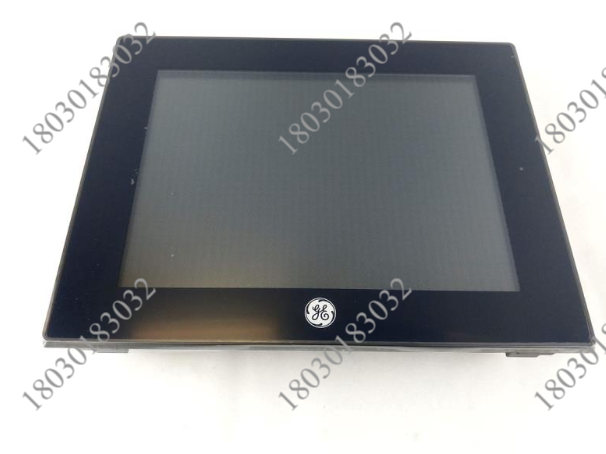
GE IC754VBI12CTD 操作员界面 有许多通信端口
【产品详情】
| 制造者 | GE发那科 |
| 品牌 | 快速面板 |
| 零件号/目录号 | IC754VBI12CTD |
| 产品线 | GE快速面板 |
| 显示尺寸 | 12 英寸 |
| 显示颜色 | 颜色 |
| 输入类型 | 触摸屏 |
IC754VBI12CTD是通用电气的快速窗格;它是一个操作员界面,使用户能够与机器进行通信。IC754VBI12CTD的显示屏尺寸为 12 英寸,采用触摸屏输入类型,便于输入。它使用 RS-232 和 RS-485 端口进行通信,需要 12 或 24 伏直流电的输入电源;它在 Proficiency View-MachineEdition 软件上运行,重 10 磅,运输尺寸为 16 x 14 x 8 英寸。该IC754VBI12CTD配有彩色显示屏,内部存储器为 32 MB。
IC754VBI12CTD是通用电气的快速窗格;它是一个操作员界面,使用户能够与机器进行通信。IC754VBI12CTD的显示屏尺寸为 12 英寸,采用触摸屏输入类型,便于输入。它使用 RS-232 和 RS-485 端口进行通信,需要 12 或 24 伏直流电的输入电源;它在 Proficiency View-MachineEdition 软件上运行,重 10 磅,运输尺寸为 16 x 14 x 8 英寸。该IC754VBI12CTD配有彩色显示屏,内部存储器为 32 MB。它有一个 LED 状态指示灯,共有三种颜色。稳定的琥珀色表示操作系统正在启动,稳定的绿色表示正常运行状态。绿灯闪烁表示背光已关闭;最后,闪烁的红灯表示模块背光故障。
IC754VBI12CTD接口的底部有许多通信端口,包括一个 RS-232 端口、多个 USB 主机端口、一个以太网端口和一个输入电源端口。与以太网端口耦合的是两个 LED 指示灯,用于指示速度和链路活动。该模块还有一个电池仓。IC754VBI12CTD安装过程中的通风是一个越来越重要的细节;本设备必须保存在无腐蚀、无尘、干燥的环境中。它的最佳工作温度为 0 至 50 摄氏度,而最佳环境存储温度为 -20 至 60 摄氏度。对于操作和存储,建议环境相对湿度为 85%。此IC754VBI12CTD快速面板旨在实现最大的灵活性。
GE IC754VBI12CTD 操作员界面 有许多通信端口
【英文介绍】
IC754VBI12CTD is GE's fast pane; It is an operator interface that enables the user to communicate with the machine. The IC754VBI12CTD has a 12-inch display size and a touch-screen input type for easy input. It uses RS-232 and RS-485 ports for communication and requires an input power supply of 12 or 24 volts direct current; It runs on Proficiency View-MachineEdition software, weighs 10 pounds and has a shipping size of 16 x 14 x 8 inches. The IC754VBI12CTD has a color display and 32 MB of internal memory.
IC754VBI12CTD is GE's fast pane; It is an operator interface that enables the user to communicate with the machine. The IC754VBI12CTD has a 12-inch display size and a touch-screen input type for easy input. It uses RS-232 and RS-485 ports for communication and requires an input power supply of 12 or 24 volts direct current; It runs on Proficiency View-MachineEdition software, weighs 10 pounds and has a shipping size of 16 x 14 x 8 inches. The IC754VBI12CTD has a color display and 32 MB of internal memory. It has an LED status indicator that comes in three colors. A steady amber color indicates that the operating system is starting, and a steady green color indicates that the operating system is running normally. Blinking green indicates that the backlight is off. Finally, a blinking red light indicates a module backlight failure.
The IC754VBI12CTD interface has a number of communication ports at the bottom, including an RS-232 port, multiple USB host ports, an Ethernet port, and an input power port. Coupled to the Ethernet port are two LED indicators that indicate speed and link activity. The module also has a battery compartment. Ventilation during IC754VBI12CTD installation is an increasingly important detail; The device must be stored in a non-corrosive, dust-free, dry environment. Its optimal operating temperature is 0 to 50 degrees Celsius, while the optimal ambient storage temperature is -20 to 60 degrees Celsius. For operation and storage, 85% relative humidity is recommended. This IC754VBI12CTD fast panel is designed for maximum flexibility.
GE IC754VBI12CTD 操作员界面 有许多通信端口
【其他型号推荐】
| Motorola MVME714M | Motorola | 模块 | FOXBORO 2094-AM02-S | FOXBORO DCS | 模块 |
| Motorola MVME7145 | Motorola | 模块 | FOXBORO 2094-AM01 | FOXBORO DCS | 模块 |
| Motorola MVME712M6E | Motorola | 模块 | FOXBORO 202S10SSSSSNSNSS | FOXBORO DCS | 模块 |
| Motorola MVME712AM | Motorola | 模块 | FOXBORO 202S10SSSSSFSFSS | FOXBORO DCS | 模块 |
| Motorola MVME71212/13 | Motorola | 模块 | FOXBORO 202S10SSSNSNSSNS | FOXBORO DCS | 模块 |
| Motorola MVME712/M90 | Motorola | 模块 | FOXBORO 202S10SSSFSNSNSS | FOXBORO DCS | 模块 |
| Motorola MVME712/AM01W383B | Motorola | 模块 | FOXBORO 202S10SSSFSFSSFS | FOXBORO DCS | 模块 |